Log a trip
Tap + and Trip, enter where you went, why and how far, and Tallibook works out the deduction at the IRS rate for that day.
Every business mile is money back at tax time. Log the trip on the day, and your mileage log builds itself.
Log a trip
- Step 1: Tap the big +, then Trip. On a computer, go to Money → Mileage and click Log a trip.
- Step 2: Check the Date and the Vehicle (your main vehicle is picked for you).
- Step 3: Type From and To, like "Office" and "123 Main St".
- Step 4: Type the Business purpose, like "Showing", "Client meeting" or "Supply run". The IRS expects a purpose for every trip.
- Step 5: Enter the distance. Choose Miles and type the one-way miles, or choose Odometer and type the start and end readings.
- Step 6: Going there and back? Turn on Round trip and we double the miles.
- Step 7: Tap Save trip.
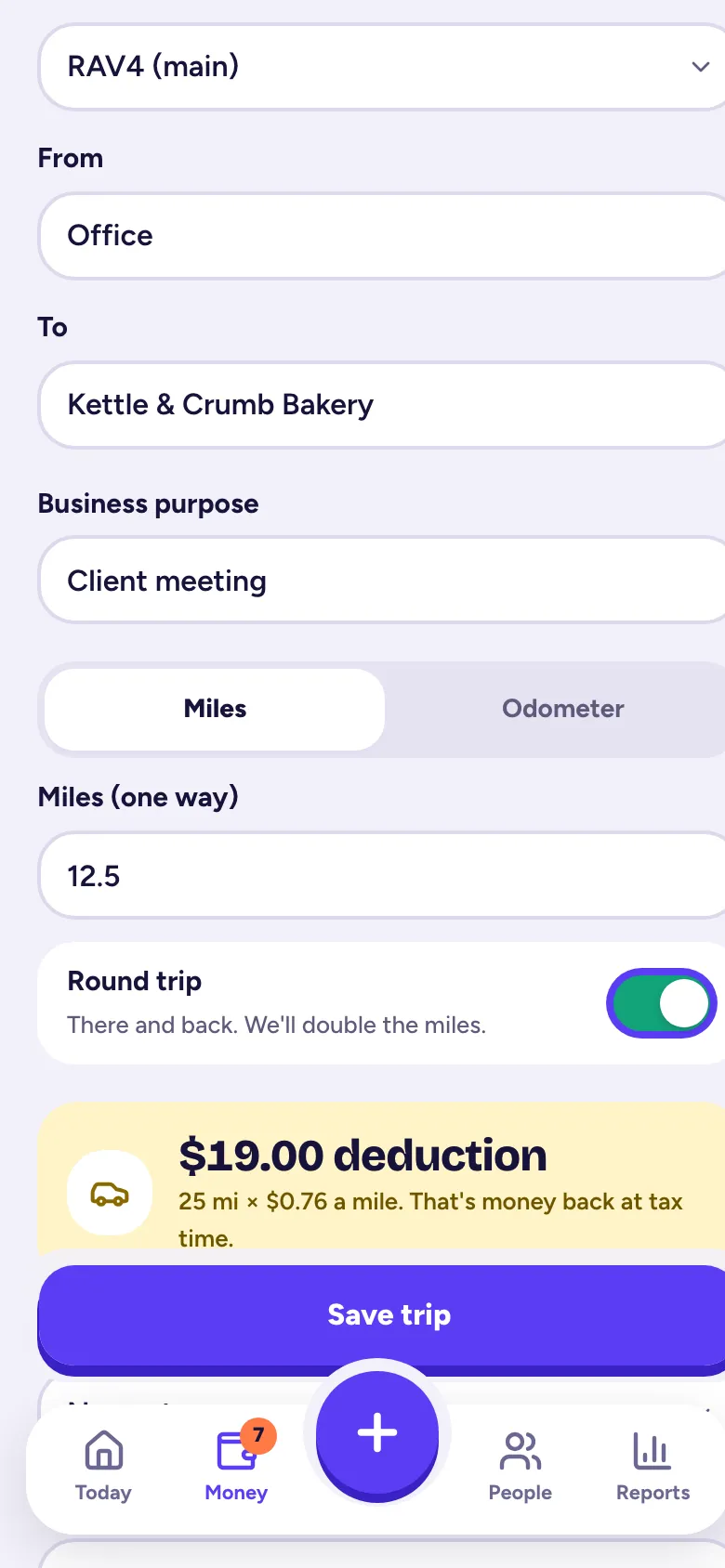
The yellow box shows what the trip is worth as you type, like "$21.75 deduction", with the miles and the rate used.
Repeat a trip in one tap
Drive the same route a lot? On Log a trip, tap Repeat last trip, or pick one of your Recent routes. Your two most recent trips are also under One tap repeats when you tap the +.
Bill mileage to a customer
Pick the Customer or Job the trip was for and turn on Bill this to the customer. It shows up under Add billable items on their next invoice, at the IRS-rate amount.
See, change or delete trips
Go to Money → Mileage. Tap a trip to change it, then save. Delete it from the same screen. A trip that's on an invoice can't be deleted until you take it off the invoice.
Related articles
- How the mileage deduction worksTallibook values each trip at the IRS standard mileage rate for its date (72.5¢ a mile Jan–Jun 2026, 76¢ from July 1, 2026); parking and tolls count on top.
- Add and manage your vehiclesAdd the car or truck you drive for work in Money → Vehicles; your main vehicle is picked for new trips, and the mileage log totals miles per vehicle.
- Reports and downloadsReports has your profit & loss, expenses by category, income, mileage log, who owes you, profit by job and 1099 contractors; owners and admins can download each as CSV, Excel or PDF.
Still stuck?
Email us at hello@tallibook.com and tell us what you were trying to do.