Add a contact by voice, business card or paste
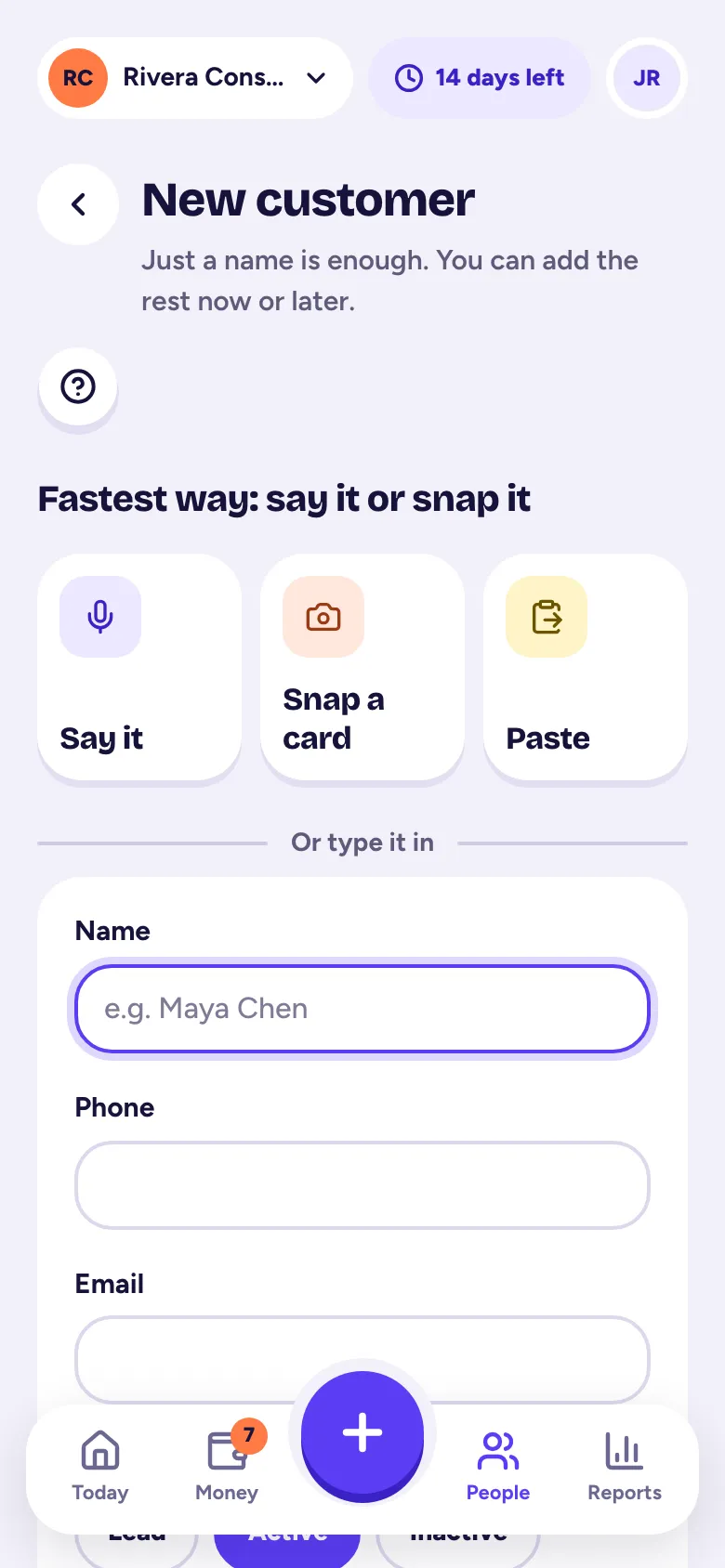
On New customer, tap Say it and talk, Snap a card, or Paste a signature; Tallibook fills in the details and you check them and tap Save.
Met someone at an open house or on a job site? Don't type. Say it, snap their card or paste their signature, and Tallibook fills in the contact for you.
Say it
- Step 1: Tap the big +, then Customer.
- Step 2: Tap Say it, then tap the microphone. Allow microphone access if your phone asks.
- Step 3: Talk naturally, for example: "Maria Lopez, 512-555-0134, maria at lopez realty dot com, met her at the open house, call her next week."
- Step 4: Tap the button again to stop. You can talk for up to 90 seconds.
Have a voice memo already? Tap Use a voice memo instead.
Snap a card
Tap Snap a card and take a photo of the business card. We read the name, company, phone, email and address.
Paste
Tap Paste, paste an email signature, a text message or your notes, and tap Fill it in.
Check it and save
You see Here's what we got, with every field ready to edit and, for Say it, what you said. If you mentioned a next step, like "call her next week", it's filled in as a Follow-up with a date. Fix anything, then tap Save.
If the phone or email matches someone you already have, we tell you and offer Open to go to them. To add them anyway, tap Save as a new customer.
Contacts added this way start as Leads. The customer's timeline notes how they were added.
Good to know
- Voice clips and card photos are used to fill in the form and aren't kept.
- Can't record? Check that your browser has microphone permission for Tallibook, and that no other app is using the mic. You can always type the details in the form underneath (Or type it in).
Contacts by voice are part of the Solo and Pro plans (and the free trial).
Related articles
- Add a customerTap + and Customer; just a name is enough, and you can add a phone, email, status, company, address, tags and notes now or later.
- Follow-ups and the activity timelineAdd a follow-up with a due date on any customer, job or invoice; Today reminds you when it's due, and the timeline keeps notes and calls.
- Record a meeting and get AI notesTap + and Record, confirm the other person knows, and record; Tallibook writes the notes, action items and a follow-up email for you.
Still stuck?
Email us at hello@tallibook.com and tell us what you were trying to do.