Record a meeting and get AI notes
Tap + and Record, confirm the other person knows, and record; Tallibook writes the notes, action items and a follow-up email for you.
Record a sit-down or a call with a customer and Tallibook writes the notes: a short summary, key points, decisions, action items and a follow-up email you can send.
Record
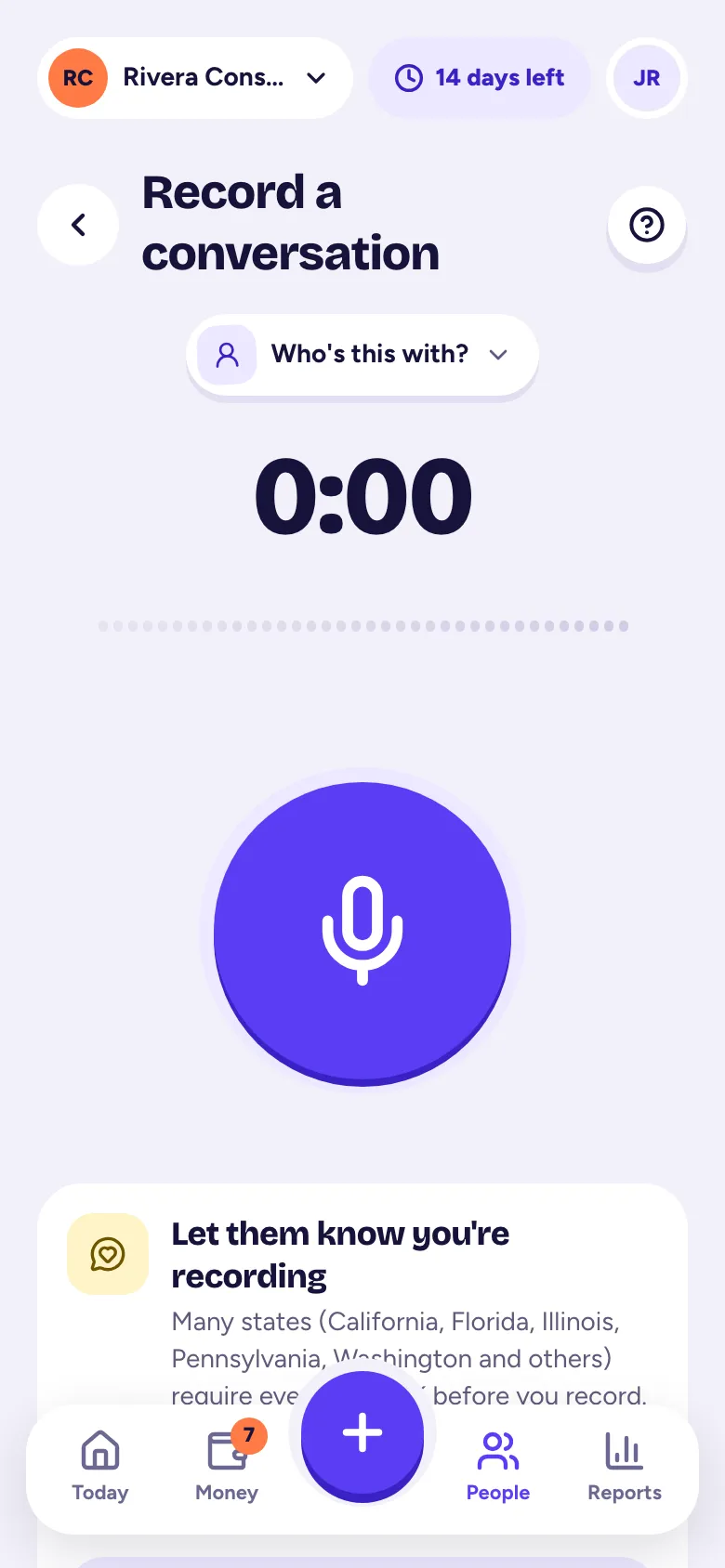
- Step 1: Tap the big +, then Record. Or open a customer and tap Record.
- Step 2: Pick who it's with (tap Who's this with?).
- Step 3: Ask first. Many states, including California, Florida, Illinois, Pennsylvania and Washington, require everyone's OK before you record. Try: "Mind if I record so I can take good notes?"
- Step 4: Tick the box that says they know you're recording (for example, Maria knows I'm recording). You can't start without it.
- Step 5: Optional: turn on Add my action items to follow-ups automatically.
- Step 6: Tap the big microphone to start. Pause and Resume as needed.
- Step 7: Tap stop when you're done. We save as you go.
Already have a recording, like a voice memo or Zoom audio? Tap Upload a recording instead (M4A, MP3 or WAV, up to 300 MB).
Your notes
Writing your notes… usually takes a minute or two, and you can leave the page. Then you get:
- The short version, Key points and Decisions.
- Action items. Add one to your follow-ups, or tap Add all to follow-ups.
- Update their details? Things we heard, like a new phone number. Nothing changes until you tap Apply.
- Follow-up email. Edit it, then Send to the customer. It goes to their email on file.
- The transcript with the audio. Tap a time to jump there, and rename speakers.
Find old meetings in People → Meetings, and search what was said.
Privacy
Recordings are private to your business. Owners and admins choose how long the audio is kept (from deleting it once the notes are ready, up to keeping it until you delete it; 90 days to start) and can delete a recording. Notes and transcripts are kept.
Meeting notes are part of the Pro plan (and the free trial).
Related articles
- Follow-ups and the activity timelineAdd a follow-up with a due date on any customer, job or invoice; Today reminds you when it's due, and the timeline keeps notes and calls.
- Add a contact by voice, business card or pasteOn New customer, tap Say it and talk, Snap a card, or Paste a signature; Tallibook fills in the details and you check them and tap Save.
- Plans and what each one includesStarter is $9 a month, Solo $19 and Pro $39; paying yearly gets you 2 months free, and you choose a plan in Settings → Plan & billing.
Still stuck?
Email us at hello@tallibook.com and tell us what you were trying to do.