Add a customer
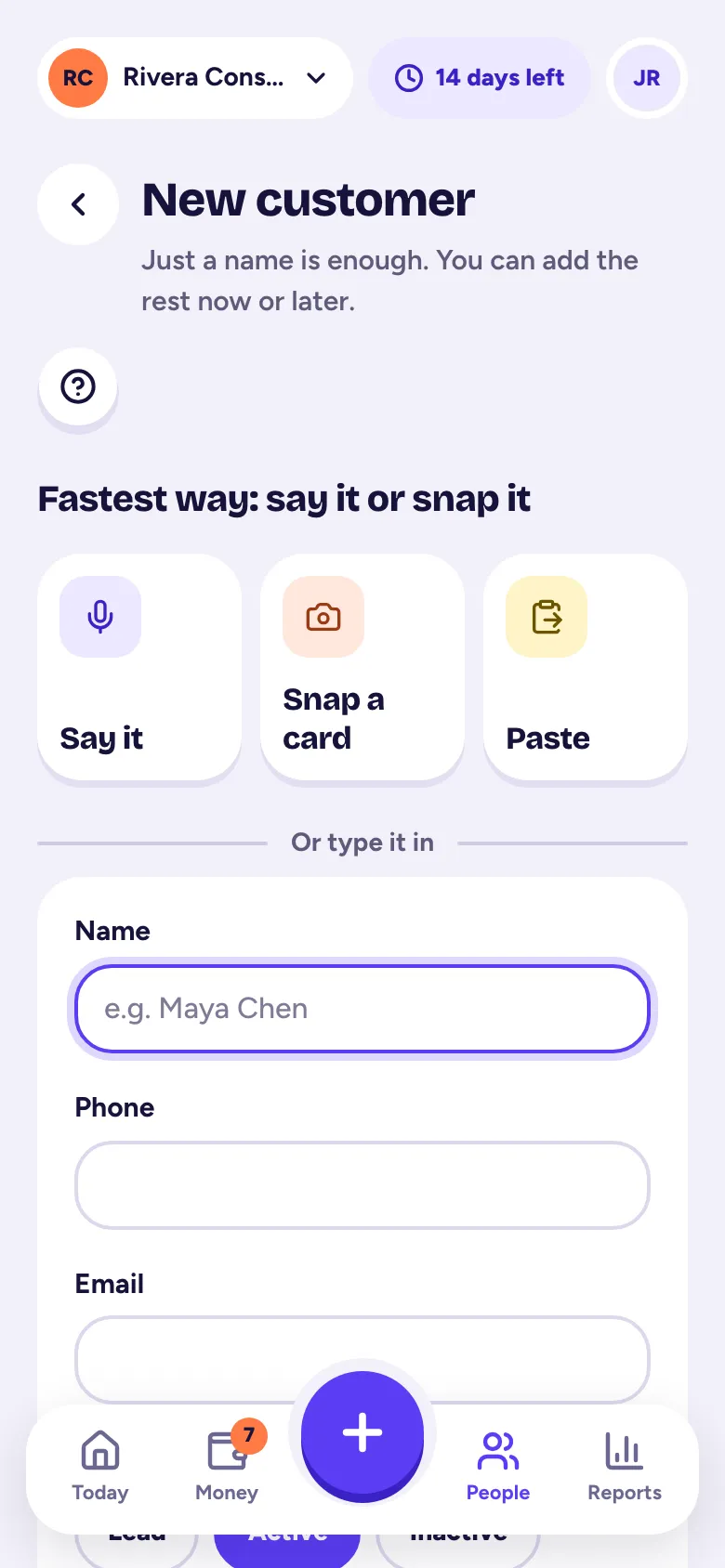
Tap + and Customer; just a name is enough, and you can add a phone, email, status, company, address, tags and notes now or later.
Customers are the people and companies you work for. Each one gets a page with their jobs, invoices, follow-ups and history in one place.
Add a customer
- Step 1: Tap the big +, then Customer. Or go to People → Customers (on a computer, Customers) and tap Add customer.
- Step 2: Under Or type it in, type their Name. That's all you need.
- Step 3: Optional: add a Phone and Email, and pick a status: Lead (not working together yet), Active or Inactive.
- Step 4: Want more? Tap Add more: company, address, how they found you, notes. You can add a company, where they found you (like Referral, Website or Open house), an address, Tags separated by commas, and Notes.
- Step 5: Tap Save, or Save & add job to start their first job right away.
Their page
Open a customer to see:
- Buttons to Call, Text or Email them, Record a conversation and make an Invoice.
- Billed, Paid and Owes: what you've invoiced, what they've paid and what's still open.
- Tabs for Activity, Jobs, Invoices, Follow-ups and Details.
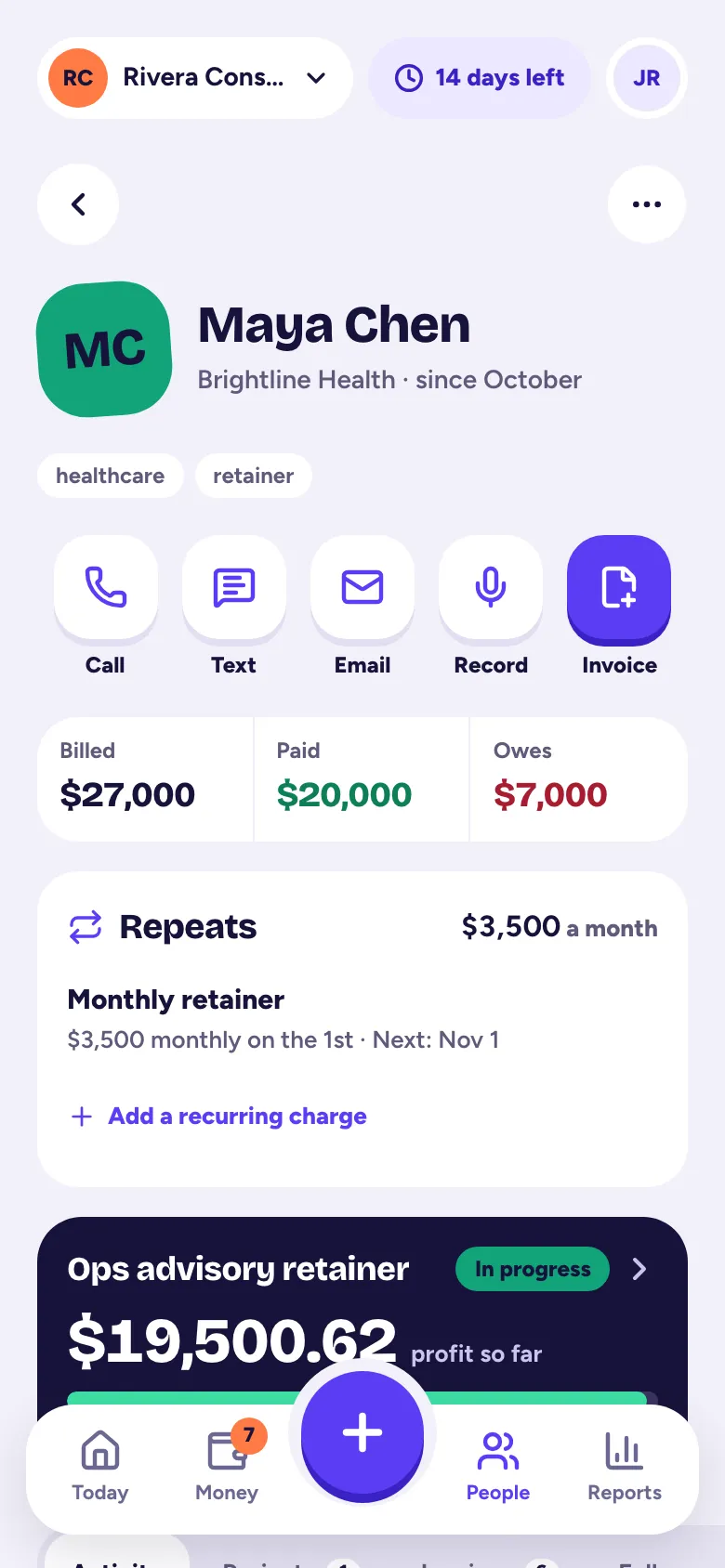
To change their details, open Details (or the … menu, then Edit details), change what you need and tap Save changes.
Find a customer
On Customers, search by name, email, phone or tag. Filter by Leads, Active or Inactive, and sort by recent activity, name or who owes the most.
Hide or delete a customer
In the … menu, Mark inactive hides them from your everyday lists without losing anything. Owners and admins can also Delete customer. Customers with invoices can't be deleted, because your tax records need them; mark them inactive instead.
Customers are part of the Solo and Pro plans (and the free trial).
Related articles
- Add a contact by voice, business card or pasteOn New customer, tap Say it and talk, Snap a card, or Paste a signature; Tallibook fills in the details and you check them and tap Save.
- Track your jobs, projects, deals or gigsA job ties a customer to your time, costs, mileage and invoices, so you can see what you really made on it.
- Follow-ups and the activity timelineAdd a follow-up with a due date on any customer, job or invoice; Today reminds you when it's due, and the timeline keeps notes and calls.
- Move to Tallibook from another appExport your customers, recurring charges, open invoices and products from your old app, drop the files into Move to Tallibook, check one summary and bring it in; you can undo it.
Still stuck?
Email us at hello@tallibook.com and tell us what you were trying to do.