Move to Tallibook from another app
Export your customers, recurring charges, open invoices and products from your old app, drop the files into Move to Tallibook, check one summary and bring it in; you can undo it.
Move to Tallibook brings your book of business over from another app without retyping: customers and contacts, recurring charges, open invoices, jobs and your price list. Only owners and admins can do it.
Before you start
Export your data from your old app. When you pick the app in step 1, Tallibook shows how to export from it. We have guides for QuickBooks Online, QuickBooks Desktop, Wave, FreshBooks, Xero, HoneyBook, Dubsado, Square, Stripe, Jobber, Housecall Pro, HubSpot, Google Contacts, iPhone/iCloud and Outlook contacts, plus your own spreadsheet.
Bring it over
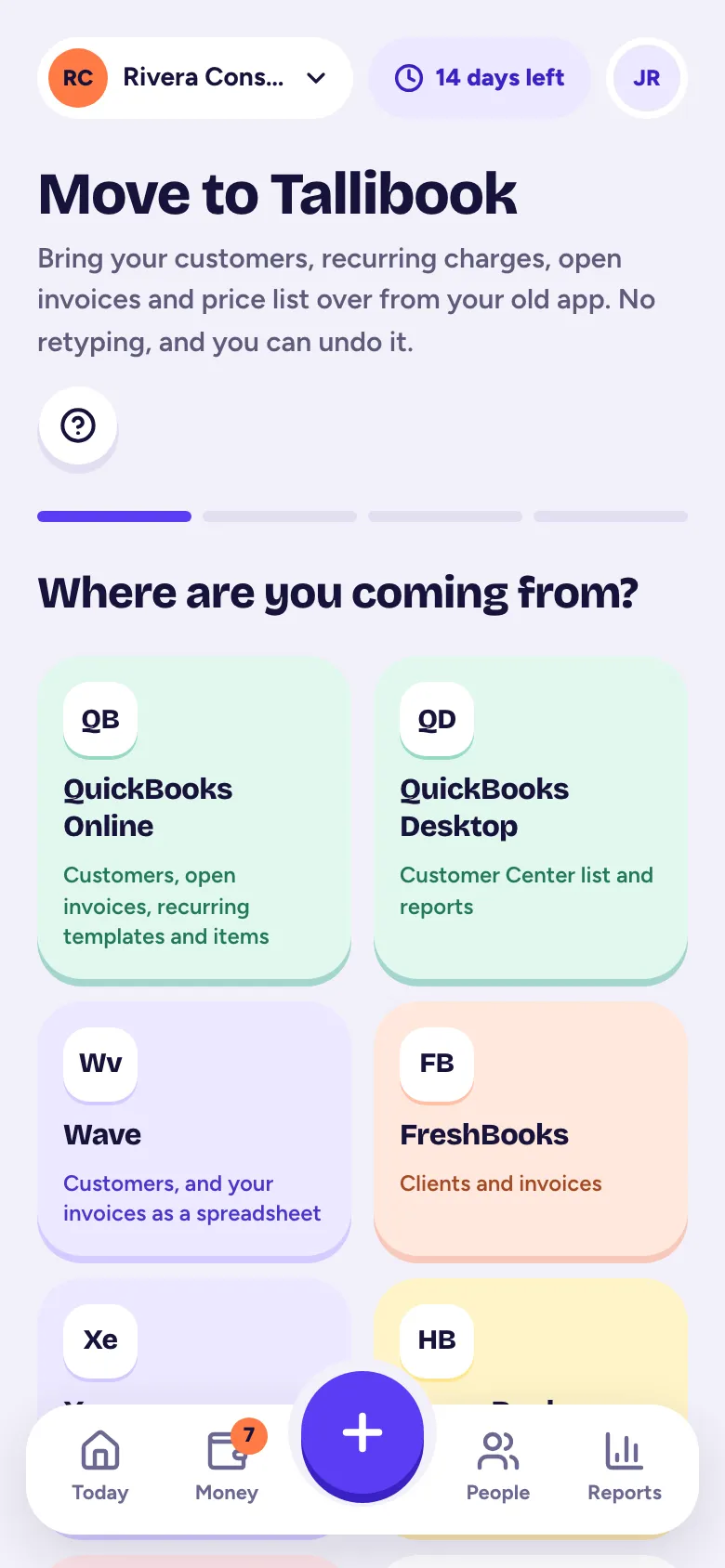
- Step 1: Go to More → Move to Tallibook. On a computer, go to Settings → Move here and tap Start moving.
- Step 2: Where from: pick your old app, or A spreadsheet I made or Something else.
- Step 3: Your files: follow the export guide on the screen, then drop your files in or tap Choose files. Several at once is fine: customers, recurring charges, open invoices and products, as CSV, Excel (.xlsx), vCard or PDF.
- Step 4: We work out what each file is and which column is which. Tap Check the columns to fix anything.
- Step 5: Check it: you see one summary, like "212 customers · 38 recurring charges · 17 open invoices". Open each section to look closer. For possible duplicates, choose Merge them, Keep both or Skip this one. Nothing is saved yet.
- Step 6: Tap Bring it in. Keep the tab open; big lists take a minute.
What comes in, and how
- Customers with the same email or phone as someone you have are merged. Merging only fills in blanks and adds tags and notes; nothing is overwritten.
- Recurring charges start at the next period after today, so nobody is billed twice for a month your old app already charged. They come in as drafts for you to check unless you choose to send them automatically (Pro).
- Open invoices come in as sent (or partly paid) with their old numbers and balances, on one line. Money paid before the move isn't counted as new income.
- Lifetime totals show on the customer as "Before Tallibook" history and aren't counted in your reports.
Changed your mind?
You can undo the whole import. See Undo an import.
Good to know
- Old Excel files (.xls) can't be read: save them as .xlsx or CSV first.
- Each file can have up to 10,000 rows; split bigger lists.
- If you leave the page before Bring it in, start again. If Bring it in stops partway, try again: finished parts aren't duplicated.
Move to Tallibook is part of the Solo and Pro plans (and the free trial).
Related articles
- Undo an importOwners and admins can undo a statement or receipt import from Money → Import, and a Move to Tallibook import from Settings → Move here; anything you've used since is kept.
- Set up recurring billingCreate a recurring charge (weekly to yearly) and Tallibook makes the invoice every time, as a draft for you to check or, on Pro, sent automatically.
- Add a customerTap + and Customer; just a name is enough, and you can add a phone, email, status, company, address, tags and notes now or later.
- Export your customer listOn Customers, tap Export and choose Excel, CSV or Contacts (vCard), for just the customers you're looking at or all of them.
Still stuck?
Email us at hello@tallibook.com and tell us what you were trying to do.