Set up recurring billing
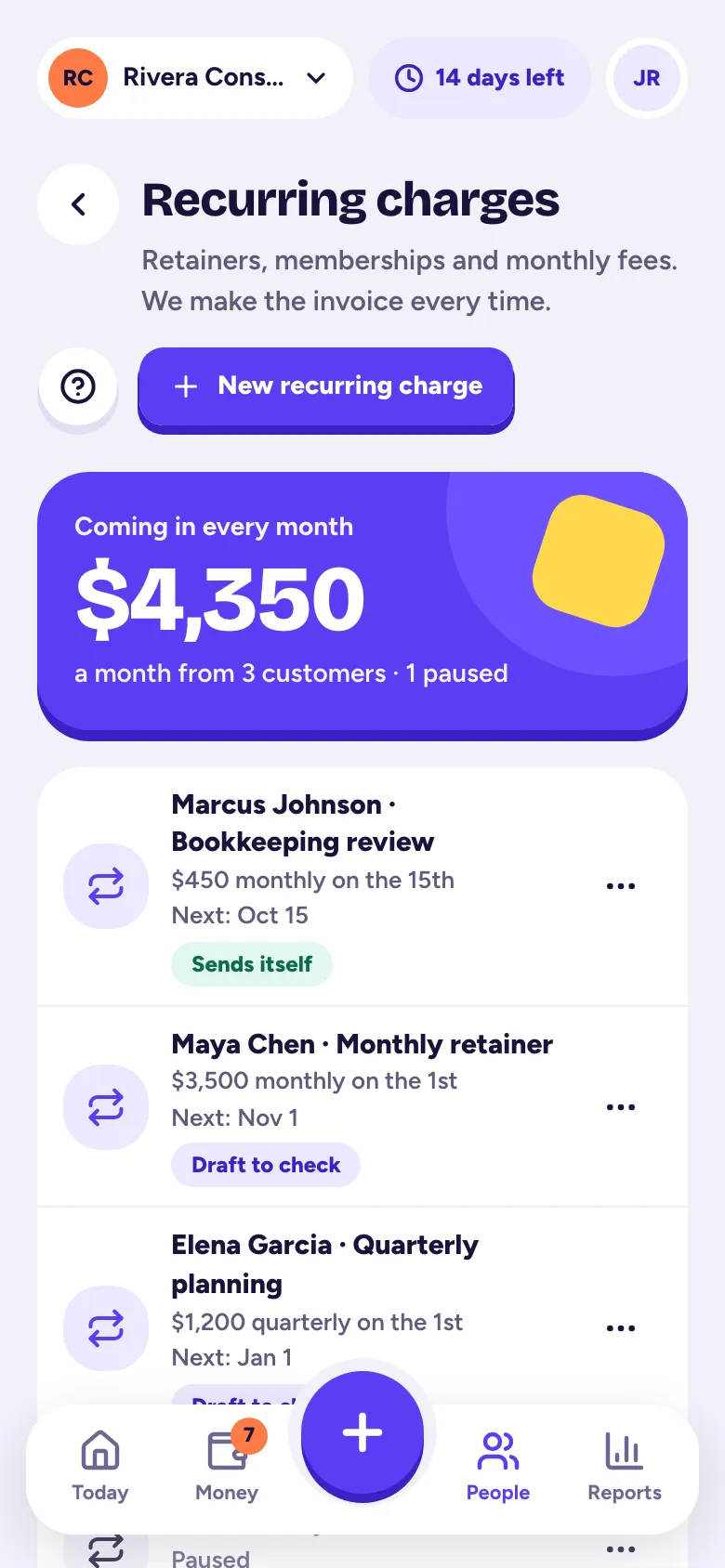
Create a recurring charge (weekly to yearly) and Tallibook makes the invoice every time, as a draft for you to check or, on Pro, sent automatically.
For retainers, memberships and monthly fees, set the charge up once. Tallibook makes the invoice each time it's due.
Only owners and admins can create and change recurring charges.
Create a recurring charge
- Step 1: Go to Invoices → Recurring (on a phone: More → Recurring charges) and tap New recurring charge.
- Step 2: Pick Who you bill and, optionally, the Job. Give it a name under Call it, like "Monthly retainer".
- Step 3: Under How often, pick Repeats: every week, every 2 weeks, every month, every 3 months or every year. For monthly and longer, pick the day (On), like the 1st or the last day.
- Step 4: Pick Starting and when it Ends: never, on a date, or after a number of charges. Set Days to pay.
- Step 5: Add the lines, or use Saved items. Optional: Add the period to each line (like "Retainer, November 2026"), and sales tax.
- Step 6: Under When it's time, choose Make a draft for me to check or Send automatically.
- Step 7: Tap Save recurring charge.
Drafts or automatic?
- Drafts wait on Today as "recurring drafts ready to check". Look them over and tap Send all, or open each one. Drafts work on Solo and Pro.
- Send automatically emails the invoice to the customer's email on file on the day it's due. It's part of Pro. With no email on file, it waits as a draft instead.
Change, pause or end it
Open the charge and tap Change it (or … in the list): Edit, Skip the next charge, Pause, Resume, switch between drafts and sending automatically, or End it. Ending stops future invoices; invoices already made stay.
Missed charges
If charges were missed, say while your account was read-only, they're caught up as drafts for you to check and never sent on their own. Charges further back than six periods are skipped so you can bill them by hand. Paused periods aren't billed.
Recurring charges are part of the Solo and Pro plans (and the free trial).
Related articles
- Make and send an invoiceTap + and Invoice, pick the customer, add what you're billing for, save it, then tap Send invoice; your customer gets an email with a link and a PDF.
- Plans and what each one includesStarter is $9 a month, Solo $19 and Pro $39; paying yearly gets you 2 months free, and you choose a plan in Settings → Plan & billing.
- Move to Tallibook from another appExport your customers, recurring charges, open invoices and products from your old app, drop the files into Move to Tallibook, check one summary and bring it in; you can undo it.
- Add sales tax to an invoiceTurn on Charge sales tax on the invoice, type the rate, and mark which lines are taxable; set a default rate in your business profile.
Still stuck?
Email us at hello@tallibook.com and tell us what you were trying to do.