Your Schedule C summary
Reports → Schedule C summary lines up your income and expenses with IRS Schedule C, line by line, with your estimated net profit; it's on every plan.
Schedule C (Profit or Loss From Business) is the IRS form sole proprietors and single-member LLCs file with their personal return. Tallibook keeps your numbers lined up with it all year.
Open it
Go to Reports → Schedule C summary. Pick the dates at the top, like this year or last year.
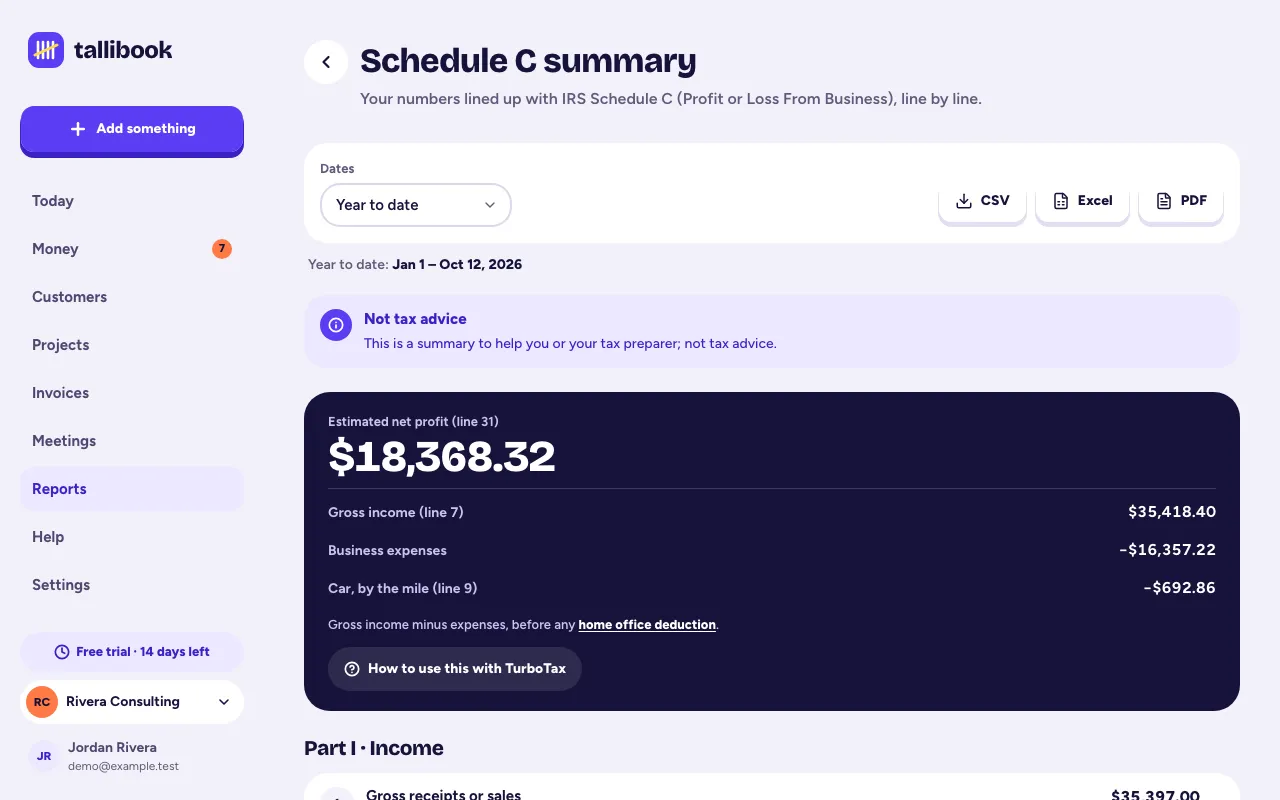
What you'll see
- Part I · Income: money in by line. Most income is line 1 (gross receipts); "Other income" is line 6.
- Part II · Expenses: each line with its total. Tap a line to see the categories and expenses behind it.
- Line 9, car and truck: your mileage deduction plus parking and tolls. See How the mileage deduction works.
- Line 24b, meals: what you spent, and the 50% that counts.
- Estimated net profit (line 31).
Notes for you and your preparer
At the bottom, Tallibook explains the parts it doesn't work out for you:
- Home office (line 30) isn't calculated. Home office expenses are listed for your preparer, not deducted.
- Cost of goods sold is a single total; the details of Part III aren't worked out.
- Expenses with no category are left out, with a link to fix them.
Why it may differ from Profit & loss
The Profit & loss report shows what you spent (meals at 100%). The Schedule C summary applies tax rules, like counting 50% of meals. So the two "profits" can be a little different. That's expected.
Download it
Owners and admins can download it as CSV, Excel or PDF, and it's the first file in your tax season pack.
Related articles
- Categories and Schedule C linesEvery category maps to a line on the IRS Schedule C, so your reports come out tax-ready; add, rename or archive categories in Settings → Categories.
- Get your tax season packReports → Tax season pack checks what's left to fix, then downloads one .zip with your Schedule C summary, P&L, mileage log, every expense and payment, receipts and a note for your accountant.
- Use Tallibook with TurboTax or other tax softwareTurboTax doesn't import Schedule C files, so you type a handful of totals from your Schedule C summary; the Tax season pack page shows where each number goes.
- How the mileage deduction worksTallibook values each trip at the IRS standard mileage rate for its date (72.5¢ a mile Jan–Jun 2026, 76¢ from July 1, 2026); parking and tolls count on top.
Still stuck?
Email us at hello@tallibook.com and tell us what you were trying to do.