Track your jobs, projects, deals or gigs
A job ties a customer to your time, costs, mileage and invoices, so you can see what you really made on it.
What you call a piece of client work depends on your business, so Tallibook lets you pick the word: Jobs, Projects, Deals or Gigs. This article says "jobs", and the app uses your word everywhere. See Change what your work is called.
Add a job
- Step 1: Go to People → Jobs (on a computer, Jobs in the sidebar) and tap Add job. Or open a customer and tap Save & add job or Add job in the … menu.
- Step 2: Pick the Customer and type a Title, like "Kitchen remodel". Real estate agents type the property or deal name and the property address.
- Step 3: Pick a Status: Lead, Quoted, In progress, Done or Cancelled.
- Step 4: Pick How do you charge?: Fixed price, Hourly, Retainer or Commission, and add the price, rate or sale price and commission %. For commission, we show your estimated commission.
- Step 5: Optional: start and end dates, an address and notes.
- Step 6: Tap Save job.
Is it making money?
Each job page shows Money in, Costs and Miles, and what's left. Money in is what you've actually received for it, including invoice payments and other income like a commission check. Costs are expenses and trips you linked to it.
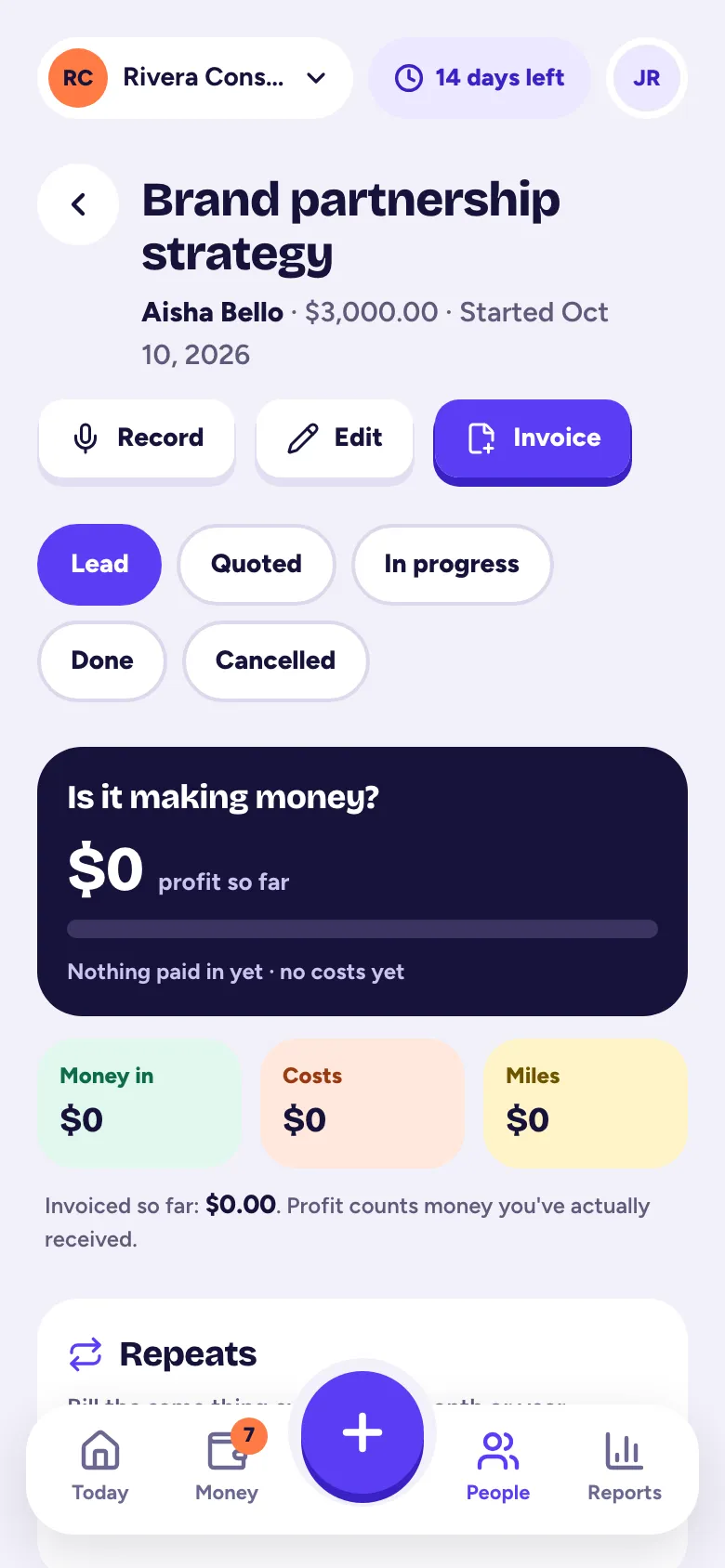
To link something, pick the job when you add an expense, a trip or income.
Log your time
On the Time tab, pick the date, type How long (1:30 or 1.5 both mean an hour and a half), add what you did, and tap Log time. Leave Billable to the customer on to bill it: it shows up under Add billable items on the next invoice, at the job's hourly rate. Commission jobs open on Costs, since agents rarely track hours.
The other tabs
Costs lists linked expenses and trips. Invoices, Activity and Follow-ups show what's tied to this job.
To change or delete a job, open it and tap Edit. Only owners and admins can delete, and a job with invoices can't be deleted.
Jobs are part of the Solo and Pro plans (and the free trial). The Profit by job report compares them all: see Reports and downloads.
Related articles
- Change what your work is called: Jobs, Projects, Deals, GigsTallibook calls client work Jobs, Projects, Deals or Gigs depending on your business; change it in Settings → Business under Name for your client work.
- Add a customerTap + and Customer; just a name is enough, and you can add a phone, email, status, company, address, tags and notes now or later.
- Make and send an invoiceTap + and Invoice, pick the customer, add what you're billing for, save it, then tap Send invoice; your customer gets an email with a link and a PDF.
- Reports and downloadsReports has your profit & loss, expenses by category, income, mileage log, who owes you, profit by job and 1099 contractors; owners and admins can download each as CSV, Excel or PDF.
Still stuck?
Email us at hello@tallibook.com and tell us what you were trying to do.