Vendors and 1099 contractors
Vendors are created as you type who you paid; mark people you pay for work as 1099 contractors and Tallibook tells you who needs a 1099-NEC.
A vendor is anyone you pay: a store, an app, a subcontractor. You don't have to set them up. When you type Paid to on an expense, Tallibook links the vendor with that name, or adds a new one.
See who you pay
Go to Money → Vendors. Pick a year to see how many payments you made to each vendor and the total.
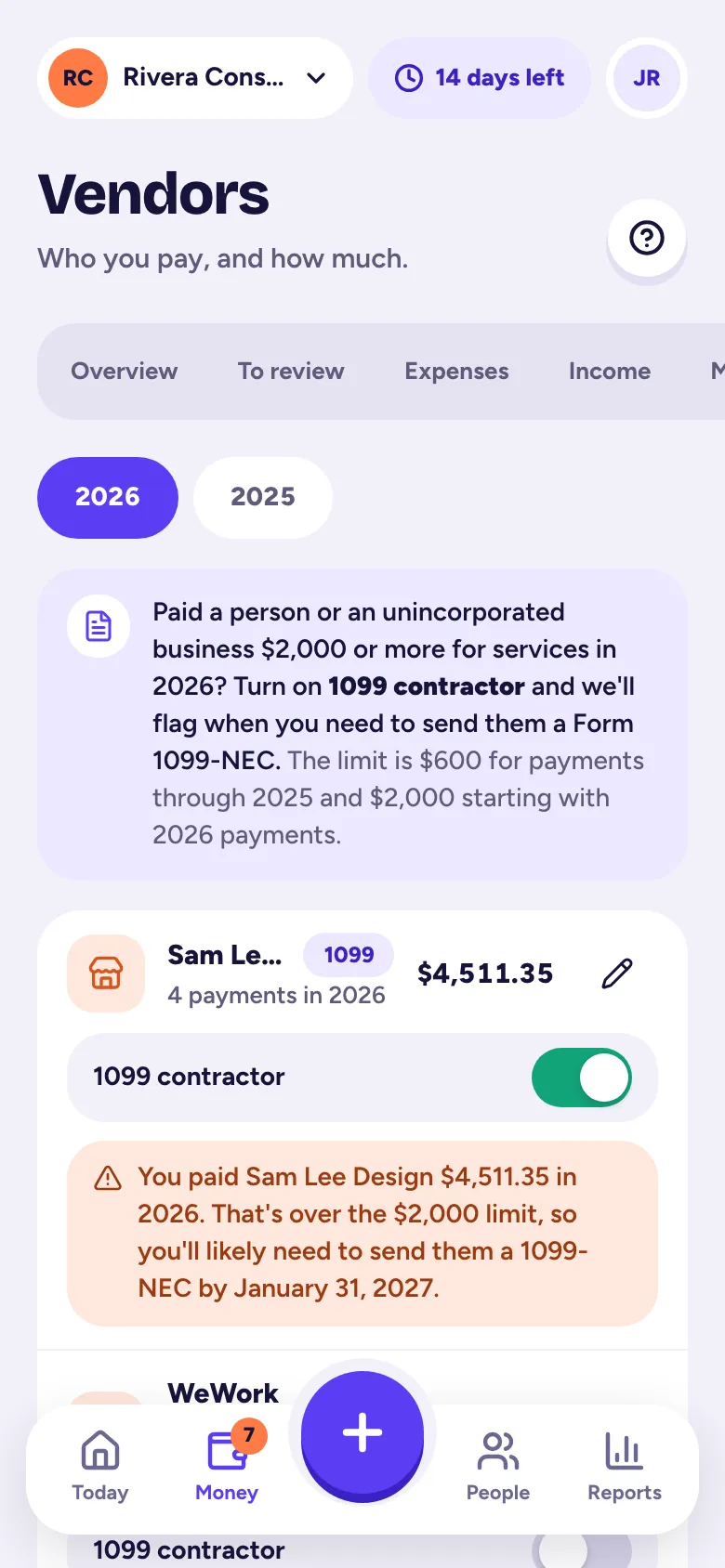
To rename a vendor or add an email or notes, tap the pencil. Past expenses stay linked.
Mark 1099 contractors
If you pay a person or an unincorporated business for services, like a subcontractor, a freelance designer or a helper, you may need to send them a Form 1099-NEC.
- Step 1: Go to Money → Vendors.
- Step 2: Turn on the switch next to the vendor (or tap the pencil and turn on 1099 contractor).
Only owners and admins can change this.
Who needs a 1099-NEC?
Open Reports → 1099 contractors. For each contractor you see what you paid that year and a badge: Needs a 1099-NEC, Close to the limit or Under the limit. The limit is $600 for payments through 2025 and $2,000 for 2026. The report also lists vendors you paid over the limit who aren't marked as contractors, so you can check them.
The report's What to do section covers the basics: get a Form W-9 before you pay, and file and send each 1099-NEC by January 31 of the next year. Card and PayPal-for-business payments usually don't need one.
The 1099 list is also in your tax season pack.
Related articles
- Add an expense by handTap + and Expense, type the amount, who you paid, the date and a category, then tap Save expense; you can attach a receipt photo too.
- Get your tax season packReports → Tax season pack checks what's left to fix, then downloads one .zip with your Schedule C summary, P&L, mileage log, every expense and payment, receipts and a note for your accountant.
- Reports and downloadsReports has your profit & loss, expenses by category, income, mileage log, who owes you, profit by job and 1099 contractors; owners and admins can download each as CSV, Excel or PDF.
Still stuck?
Email us at hello@tallibook.com and tell us what you were trying to do.