Import a bank or card statement
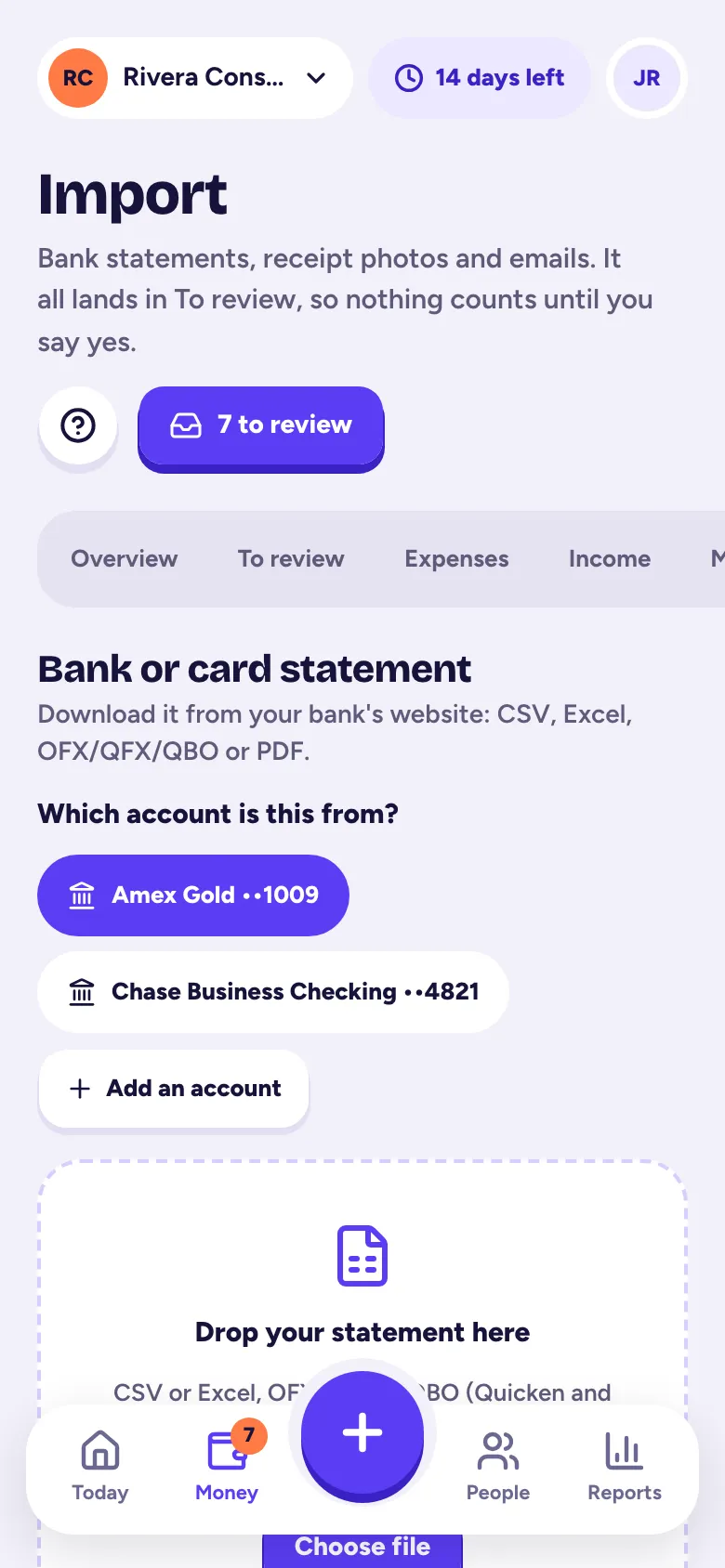
In Money → Import, pick the account, drop in the statement your bank lets you download (CSV, Excel, OFX/QFX/QBO or PDF), check the preview and import; it all lands in To review.
Catch every business expense by importing your bank and credit card statements. Everything lands in To review first, so nothing counts until you say yes.
Download your statement
Sign in to your bank or card website and download your transactions. Any of these work:
- CSV or Excel
- OFX, QFX or QBO (the files made for Quicken and QuickBooks)
- A PDF statement
Tallibook doesn't connect to your bank directly yet, so there's no bank password to share.
Import it
- Step 1: Go to Money → Import.
- Step 2: Under Which account is this from?, pick the account, or tap Add an account and give it a name (like "Chase Business Checking"), a kind and, optionally, its last 4 digits.
- Step 3: Drop your file into the box, or tap Choose file.
- Step 4: Check Looks right?: the first few transactions, with money out and money in shown the way we read them.
- Step 5: Tap Looks right, import it.
If the columns look wrong
For CSV and Excel files, tap Not right? Change the columns and pick which column is the date, the description and the amount. You can also set whether money you spent shows as negative or positive (positive is typical for cards), and how dates look. We remember the layout for that account next time.
PDF statements are read for you and checked against the statement's totals. They can take a minute.
After the import
You get a summary with Review now. Then:
- Exact duplicates are skipped, and rows that may have been imported before are flagged.
- Transfers between your own accounts and card payments are set aside under Transfers, never counted as income or expenses.
- Everything else waits in To review with a suggested category. See Business or personal?
Imported the wrong file? See Undo an import.
Statement import is on every plan.
Related articles
- Business or personal? Sorting To reviewImported and forwarded transactions wait in Money → To review; tap Business or Personal on each (or Approve all), and nothing counts until you say yes.
- Undo an importOwners and admins can undo a statement or receipt import from Money → Import, and a Move to Tallibook import from Settings → Move here; anything you've used since is kept.
- Upload a pile of receipts at onceIn Money → Import, under Upload receipts, pick up to 50 photos, PDFs or saved emails at a time; each is read and waits in To review.
- Forward email receipts to TallibookForward receipt emails to your private Tallibook address (Settings → Email receipts), or set up auto-forwarding once; each one is read and waits in To review.
Still stuck?
Email us at hello@tallibook.com and tell us what you were trying to do.