Record money in (commissions, payouts, cash)
Tap + and Income to record money that didn't come from a Tallibook invoice, like a commission check, an app payout or cash.
Income in Tallibook is any money that came in for the business. When a customer pays a Tallibook invoice, the income is added for you. Everything else, you add here: commission checks, closing disbursements, Uber or DoorDash payouts, cash for a small job.
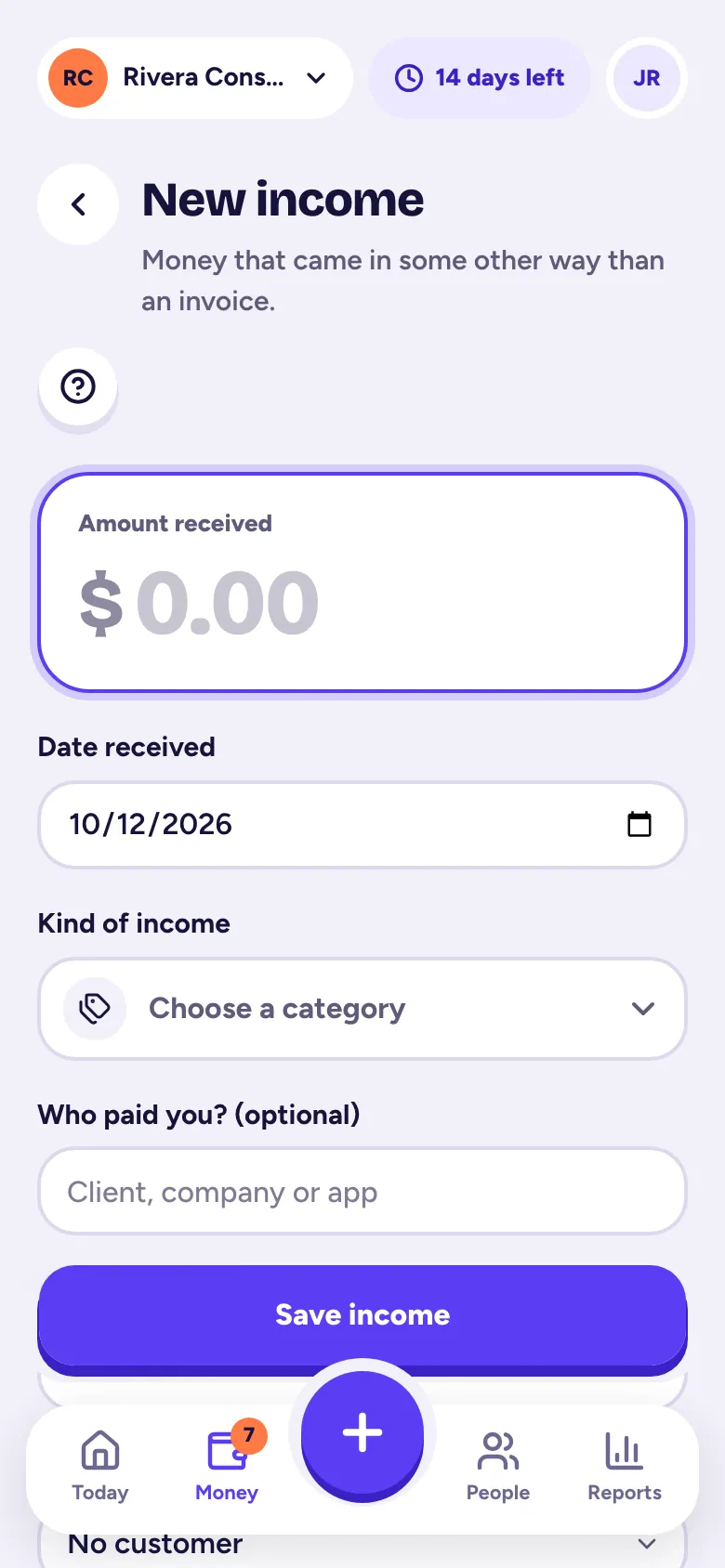
Add income
- Step 1: Tap the big +, then Income. On a computer, go to Money → Income and click Add income.
- Step 2: Type the Amount received and the Date received.
- Step 3: Pick the Kind of income: Services / Sales, Commissions, Platform payouts or Other income (or one of your own categories).
- Step 4: Optional: Who paid you? For platform payouts we suggest names like Uber, Lyft and DoorDash.
- Step 5: Optional: How you got paid, a Customer or Job, and Notes.
- Step 6: Tap Save income.
Income from invoices
When you record a payment on an invoice, the income shows up in Money → Income with a Paid invoice badge. You can't edit it there: change or remove the payment on the invoice instead. That way money is never counted twice.
Platform payouts and 1099-K forms
Record each payout as it lands in your bank, at the amount you actually received. Fees the app took can go in as an expense in Commissions & platform fees. At tax time, your Schedule C summary shows your total.
Related articles
- Record a payment and mark an invoice paidWhen a customer pays, open the invoice, tap the paid button (like "Maya paid") and enter the amount, date and how they paid; it's added to your income for you.
- Categories and Schedule C linesEvery category maps to a line on the IRS Schedule C, so your reports come out tax-ready; add, rename or archive categories in Settings → Categories.
- Business or personal? Sorting To reviewImported and forwarded transactions wait in Money → To review; tap Business or Personal on each (or Approve all), and nothing counts until you say yes.
- Your Schedule C summaryReports → Schedule C summary lines up your income and expenses with IRS Schedule C, line by line, with your estimated net profit; it's on every plan.
Still stuck?
Email us at hello@tallibook.com and tell us what you were trying to do.