Getting started with Tallibook
Create your account, answer three quick questions about your business, and you land on Today, ready to snap a receipt or log a trip.
Tallibook keeps your money in, money out, miles and customers in one place, so your numbers are ready at tax time. Setting up takes about a minute.
Create your account
- Step 1: Go to app.tallibook.com and tap Start free trial (or Create account).
- Step 2: Type your first name, last name, email and a password of at least 8 characters.
- Step 3: If we email you a confirmation link, open it and tap Confirm my email. The link works for 24 hours.
Your 14-day free trial starts now, with every Pro feature and no card. See Your free trial.
Set up your business
Three short steps:
- Step 1: About your business. Type your business name (your own name is fine) and pick the kind of work you do: consultant, real estate agent, contractor, freelancer, gig worker or something else. This picks the word Tallibook uses for your client work, like Projects, Deals, Jobs or Gigs. You can change it later.
- Step 2: A few quick details. Pick how your business is set up (most people starting out are sole proprietors) and your state.
- Step 3: Do you drive for work? Add your car's name, like "2019 Toyota Camry", so logging a trip is one tap. Not driving for work? Tap Skip and finish.
What to do first
- Snap a receipt. Tap the big + and choose Snap a receipt. We read it and fill everything in. See Snap a receipt.
- Log a trip. Business miles are one of the biggest deductions there is. See Log a trip.
- Add a customer. Just a name is enough. See Add a customer.
The Getting started card on Today lists five more steps, like forwarding email receipts and importing a bank statement. It ticks them off as you go, and you can hide it any time.
Today, your home screen
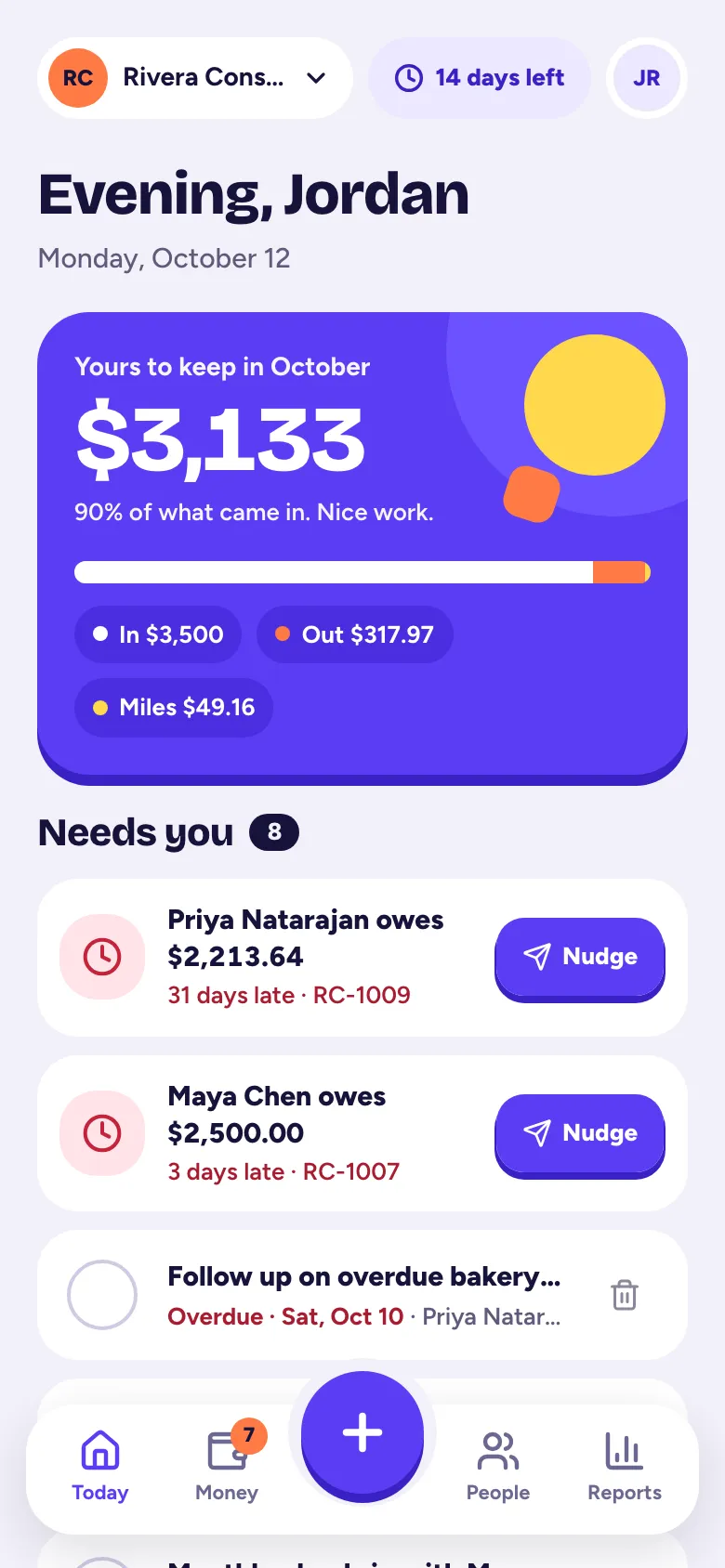
Today shows what you kept this month, your money in, money out and miles, and a Needs you list: late invoices, follow-ups that are due, receipts to check and transactions to review. The ring shows how tax-ready your year is. Tap it to see what to fix.
Related articles
- Find your way around the appOn a phone, use the tab bar (Today, Money, +, People, Reports) and the avatar menu; on a computer, everything is in the left sidebar.
- Snap a receiptTap + and Snap a receipt, take a photo, and we read the amount, date and store for you; check it and tap Looks good, save it.
- Log a tripTap + and Trip, enter where you went, why and how far, and Tallibook works out the deduction at the IRS rate for that day.
- Your free trial, and what happens afterEvery new business gets a 14-day free trial with every Pro feature and no card; if you don't pick a plan by the end, your books turn read-only, never locked.
Still stuck?
Email us at hello@tallibook.com and tell us what you were trying to do.